
Email import
A forwarding address for every client.
Each folder has its own email address. Bills sent there land in that client's inbox and are read automatically — no logins for your clients, no shared mailbox to sort.
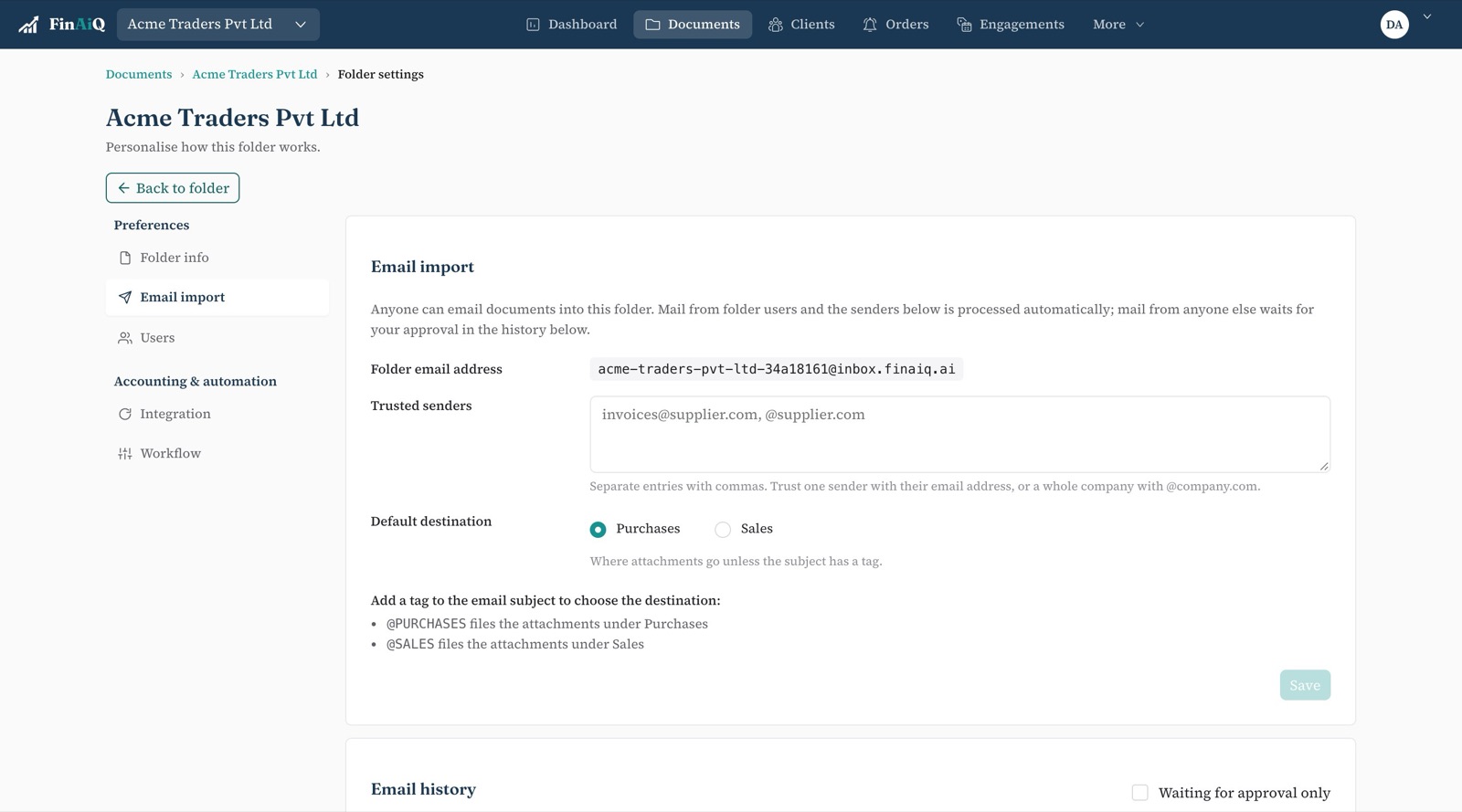
How it works
- 01
Copy the folder's address
Find it in the folder's settings and give it to the client or their suppliers.
- 02
Add trusted senders
Whole domains or single addresses. Their attachments are imported straight away.
- 03
Approve the rest
Mail from anyone else waits until someone in your team approves it.
Details that matter
Attachments become documents
Invoice PDFs and images attached to the email are imported into the folder and read.
One address per folder
Documents never end up in the wrong client's books because of a shared inbox.
Nothing silently dropped
Mail from unknown senders is held for approval, not discarded.
Questions
- Do clients need a FinAiQ login to send documents?
- No. They email the folder's address like any other address.
- Can I stop spam or unknown senders?
- Yes. Only senders on the folder's trusted list are imported automatically. Everything else waits for approval.
Give each client an address.
Set up a folder and forward a bill to it.