
Invoice capture
Bills read line by line, with the original beside them.
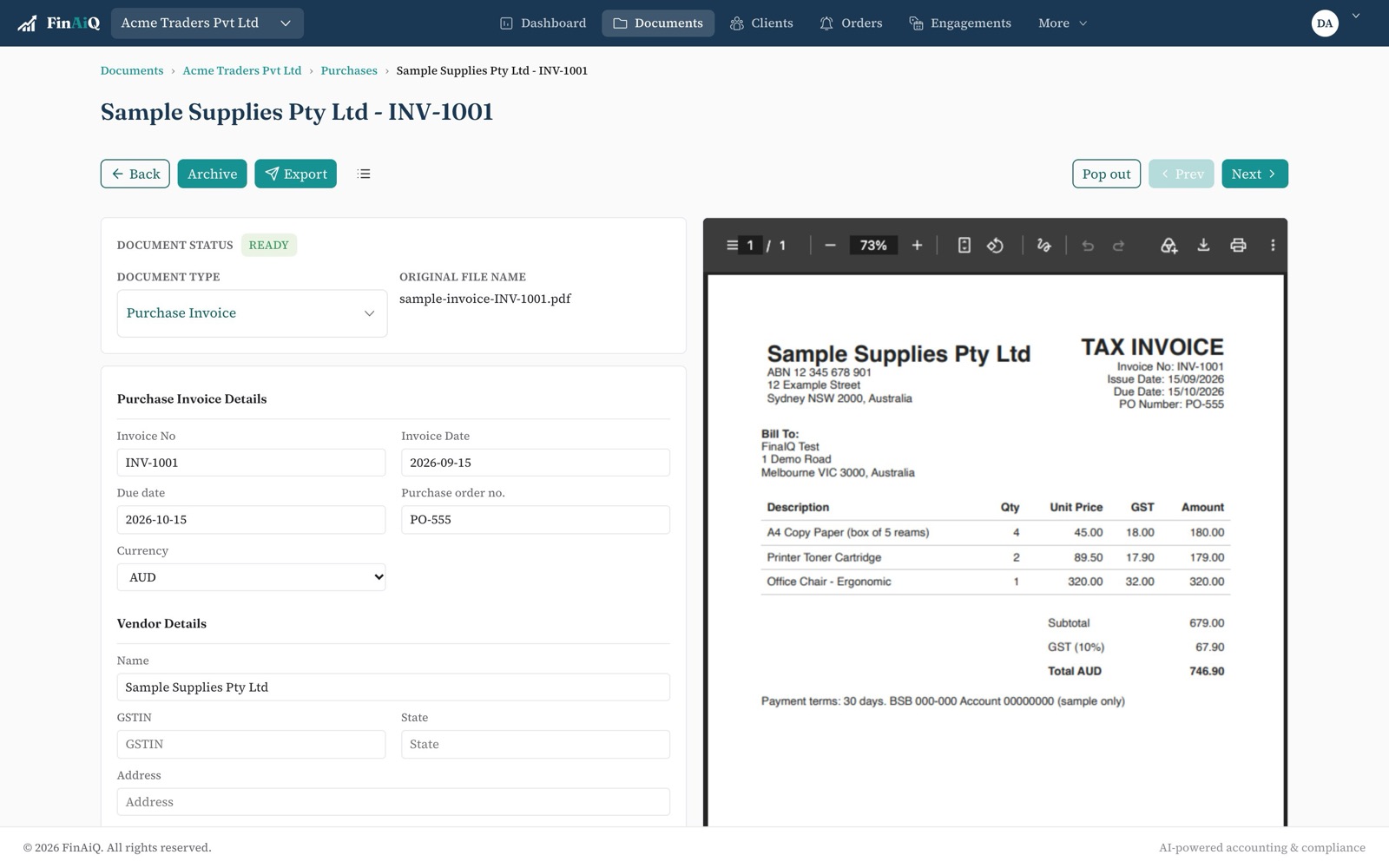
Drop in a PDF or a photo. FinAiQ fills in the supplier, invoice number, dates, line items and GST, and checks that the numbers add up before anyone exports it.
What gets read
Header details
Supplier name, invoice number, issue and due dates, currency and totals.
Every line item
Description, quantity, unit price, amount and the GST on each line — not just the total.
Totals that add up
Line totals are added and compared with the bill total. A mismatch is flagged rather than exported.
Supplier and sales invoices
Purchases and sales are kept apart, so each is exported the right way.
PDFs and photos
Digital PDFs, scans and phone photos. If a page can't be read, it's flagged instead of guessed.
The original kept
The source file stays attached to the data, for review now and for anyone who asks later.
Checking a bill
- 01
Open it from the inbox
The original sits on one side, the data on the other.
- 02
Fix anything that's off
Every field can be edited. Changes are recorded in the audit trail.
- 03
Mark it ready
Ready bills can be exported one at a time or in a batch.
Questions
- Does FinAiQ capture line items?
- Yes. Each line keeps its description, quantity, unit price, amount and GST, and the lines are checked against the bill total.
- What happens if a document can't be read?
- It goes to Needs review with the reason, so you can fix it or replace the file. Nothing unreadable is exported.
- Can I edit what was read?
- Yes. Every field can be changed before export, and the change is recorded with who made it and when.
See it on your own bills.
Start a trial and drop in a few from last month.