
Review and export
Check the odd ones. Send the rest.
Every client folder opens on three lists: Ready, Needs review and Export failed. Most of your time goes on the short one.
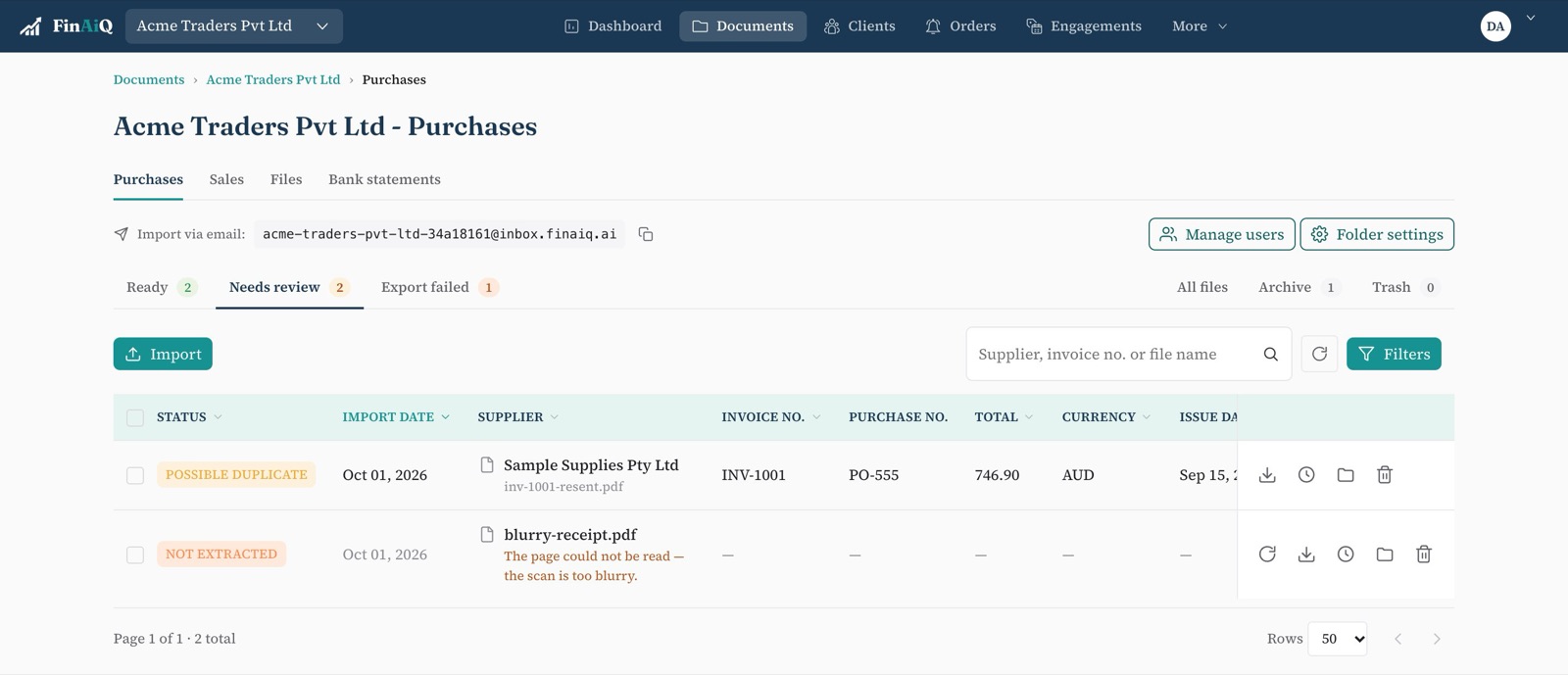
The three lists
Ready
Read, checked and waiting to be exported — one at a time or as a batch.
Needs review
Possible duplicates and documents that couldn't be read, each with the reason.
Export failed
Rejected by your accounting software, with the message it sent back. Fix it and try again.
Checks before anything leaves
Duplicates
Same supplier and invoice number? The second waits. Add issue date and total to make the check stricter.
Tax rates
Each line's tax rate must exist in your accounting file, or the export stops with a clear reason.
Totals
Lines that don't add up to the bill total are flagged before export.
After export
Exported documents move to the archive on their own, so the inbox only shows work that's left. Every upload, edit, export and deletion is recorded in the audit trail with who did it and when.
Clear a client's inbox.
Start a trial, connect your accounting software and export your first bill.